Changelog
See which AI assistants use your MCP server
- AI
- Dashboard
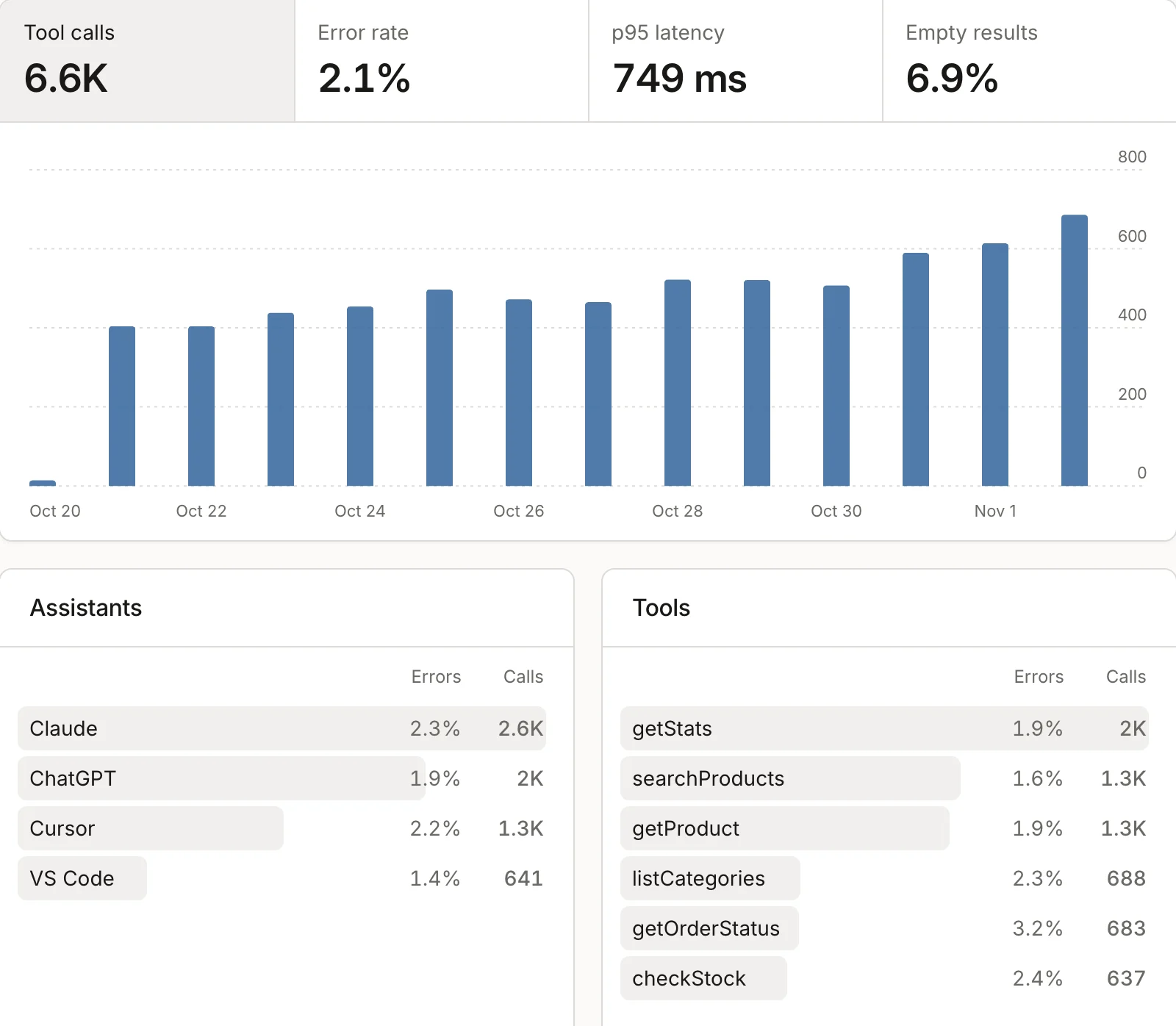
If your site runs its own MCP server, assistants like Claude and ChatGPT call its tools to answer their users. The new Assistants page shows those calls: how many, how many failed, how long they took and how often a tool found nothing. Below that, calls are split by assistant and by tool.
To record them, update the highseat package to 0.6.0 or later and call trackToolCalls(server) from highseat/mcp once, before you register any tool. It works with servers built on the MCP TypeScript SDK v2. Tool arguments, results and the caller's IP address never leave your server.
A call counts as an event on your plan, never as a visitor.
Visits that assistants send
mcpLink(url, context) tags a link a tool returns with utm_source and utm_medium=mcp. Highseat reads those visits as the AI channel, so the goals and revenue that follow belong to that assistant. The Sources card at the bottom of the page lists them.