Changelog

What shipped, and when.Every change, dated.

New features, improvements and fixes in Highseat, newest first. Each entry has its own page.

AllDashboardDataDevelopersInstallRevenueSharing
  • Dashboard

Sign in with Google or GitHub

The sign-in and sign-up pages have a Continue with Google button and a Continue with GitHub button above the email form.

Already signed up with an email and password? Sign in as usual, then connect Google or GitHub in Account, Security. The same page lists every browser signed in to your account, so you can sign one out, or all of them but this one. Highseat won't let you disconnect your last way to sign in.
  • Dashboard
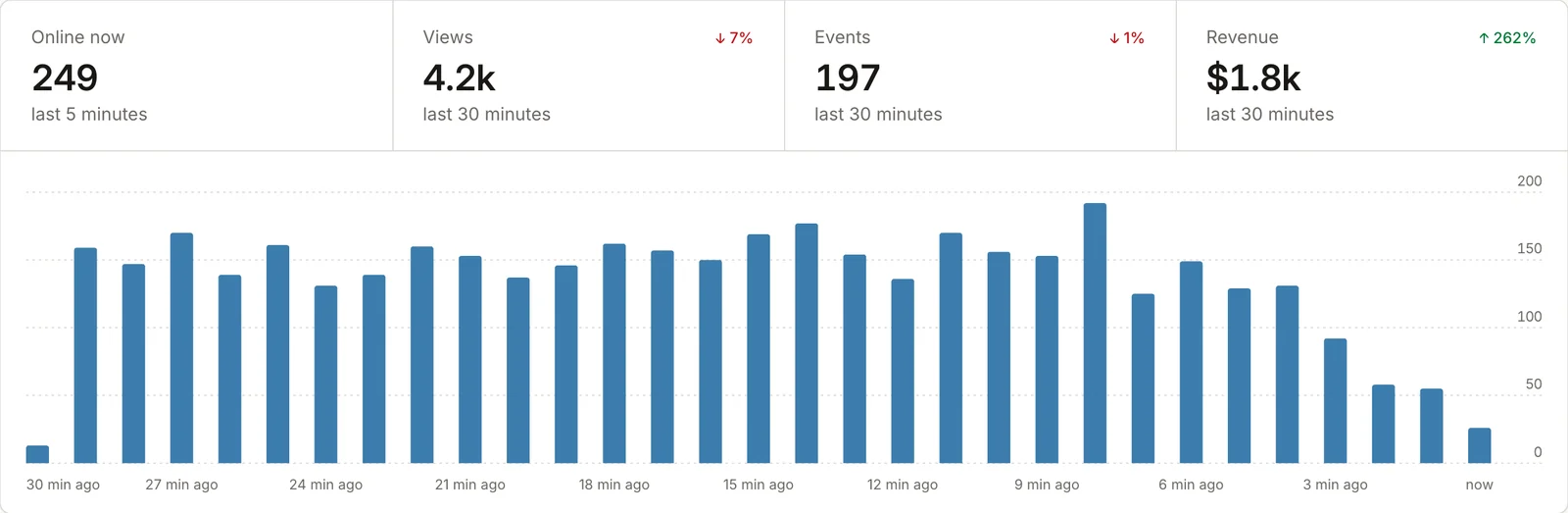
The Realtime page: visitors online now, views, events and revenue in the last 30 minutes, and a bar chart of views by the minute.

See who is on your site, live

The Realtime page shows your site as it happens: a live dot map of where visitors are, a chart by the minute and a feed of events as they arrive.

Improvements

  • A funnel's step breakdown shows each source's favicon.
  • The Events page lists every event in order, with a detail dialog for each one.
  • Dashboard

Funnels that show where visitors drop off

Build a funnel from two to eight steps on the new Funnels page. A step is a page, with * as a wildcard, or an event. Drag steps to reorder them, and pick how long a visitor has to finish, from one hour to 90 days. Count by visitors or by sessions.

The funnel's own page draws the steps as a ribbon, with each step's count and its drop-off. Under it, a breakdown by source, country and device shows which traffic converts. Click any row to filter the funnel to it, and change the period or add filters as you would on the dashboard.

  • Revenue
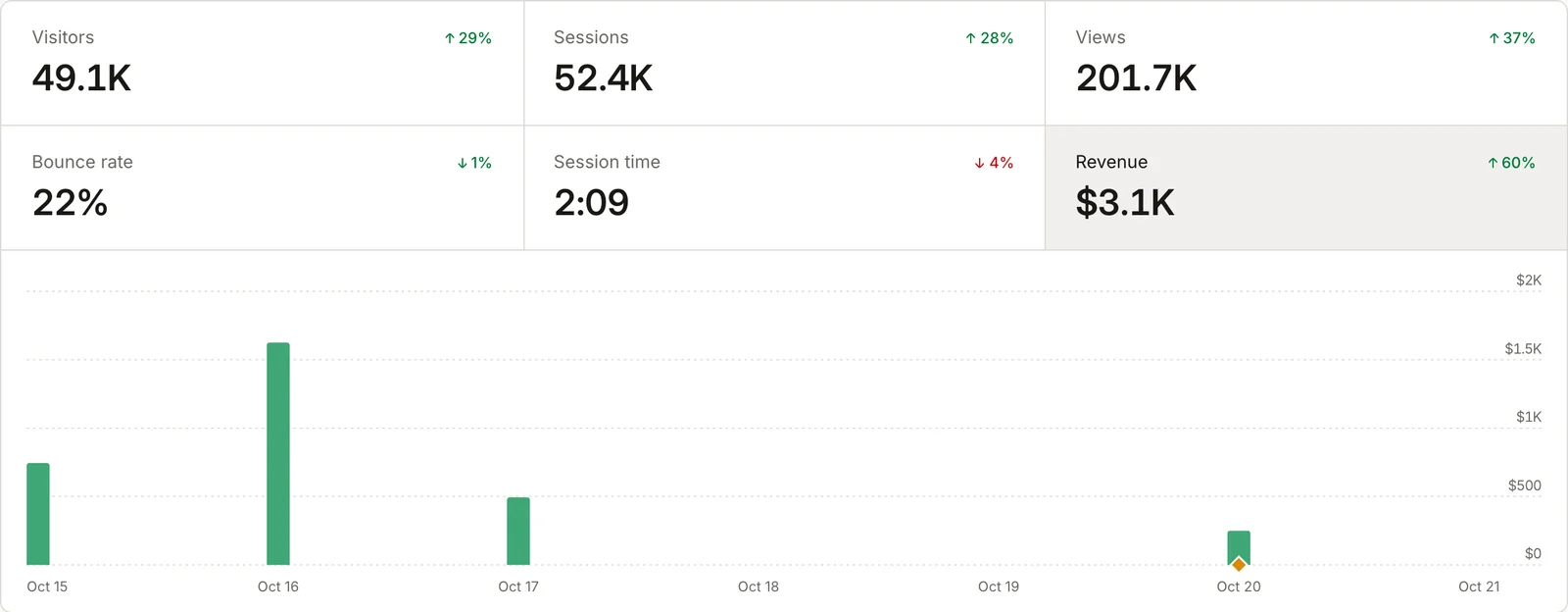
The OpenAlternative dashboard with Revenue selected: $3.1K over the last 7 days, and a bar for each day's sales.

Revenue from Stripe and Polar, net of refunds

Connect Stripe or Polar with a webhook, and every sale lands in Highseat next to the visit that made it. The tracker gives each visit an attribution id. Pass it to your checkout as attribution_id metadata, and the payment joins the visit.

Revenue is net: a refund comes off on the day it was issued. Every sale converts to the site's currency at the European Central Bank's rate on the day it was paid.

Credit for the sale

A sale credits the visits that led to it, under Last touch, First touch or Linear attribution, within a lookback window. Credit is worked out when a report runs, so a change of model applies to past sales too. Mark your thank-you pages and they count as traffic but never take the credit.

The Revenue stat, the bars on the chart and the revenue column on every breakdown read the same figures, so Sources shows which referrer brought in the money, not only the visitors.

Improvements

  • Revenue bars keep their full width when a comparison is on.
  • Polar's whsec_ webhook secrets are accepted as they come.
  • Sharing
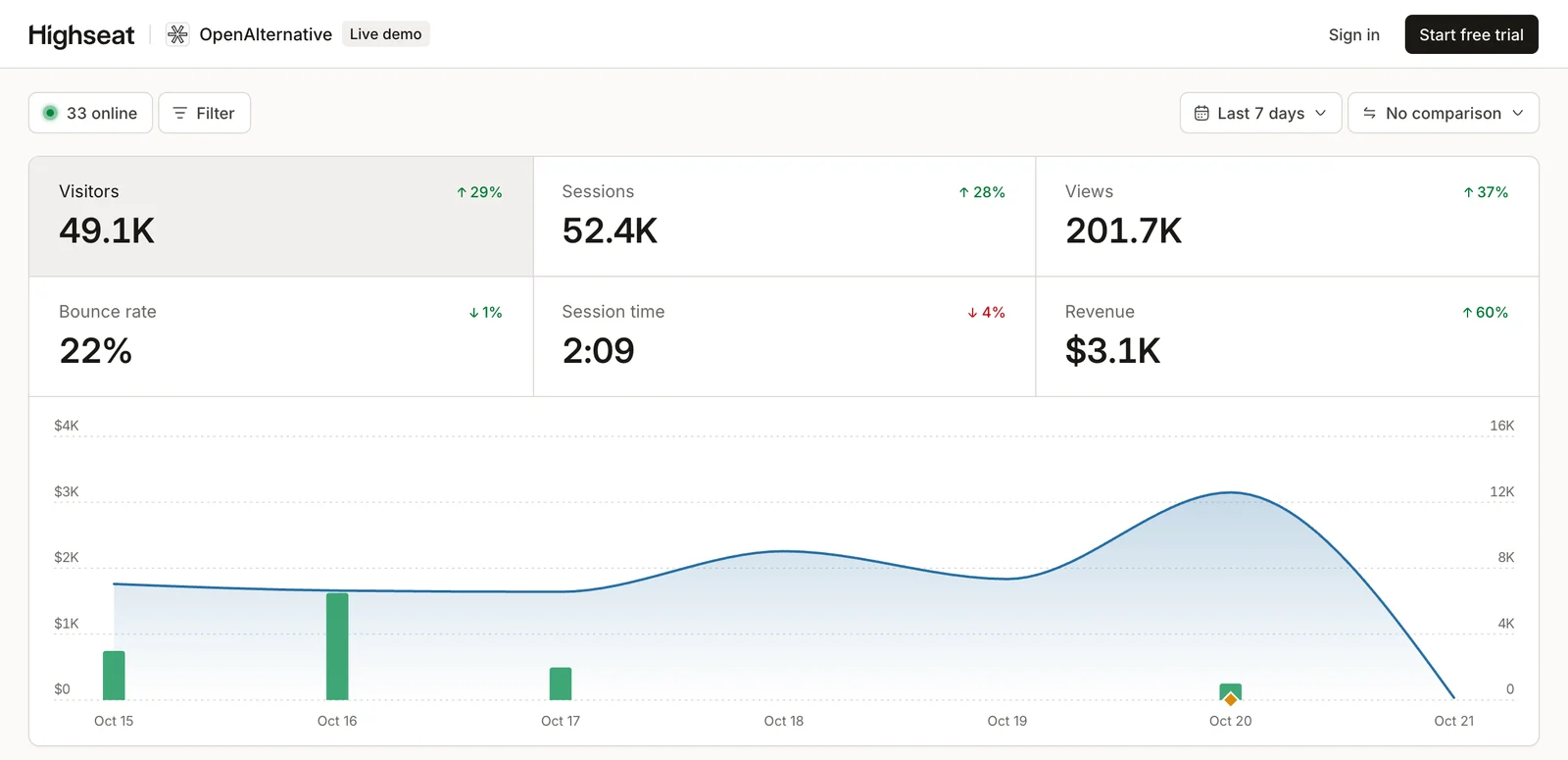
The public live demo of OpenAlternative's dashboard, opened from a share link: a Live demo badge in the header, then the period picker, the figures and the chart.

Share a read-only dashboard with anyone

Create a share link in a site's Sharing settings and anyone with it can see the dashboard, with no account. They can change the period and filter, and they can't edit a thing.

Each link has its own rules. Ask for a password, let it expire at the end of a day, or limit it to a segment, such as one country or one campaign. Viewers can narrow a segment further but never widen it. Revenue and chart notes stay hidden unless you turn them on for that link.

A link without a password can be embedded with an iframe, in a light or dark theme. Delete a link and it stops working at once. Our own live demo is one of these links.

Improvements

  • Build a filter from the toolbar with F, from pages, sources, locations, devices, UTM tags or events, with values taken from real traffic.
  • Dashboard
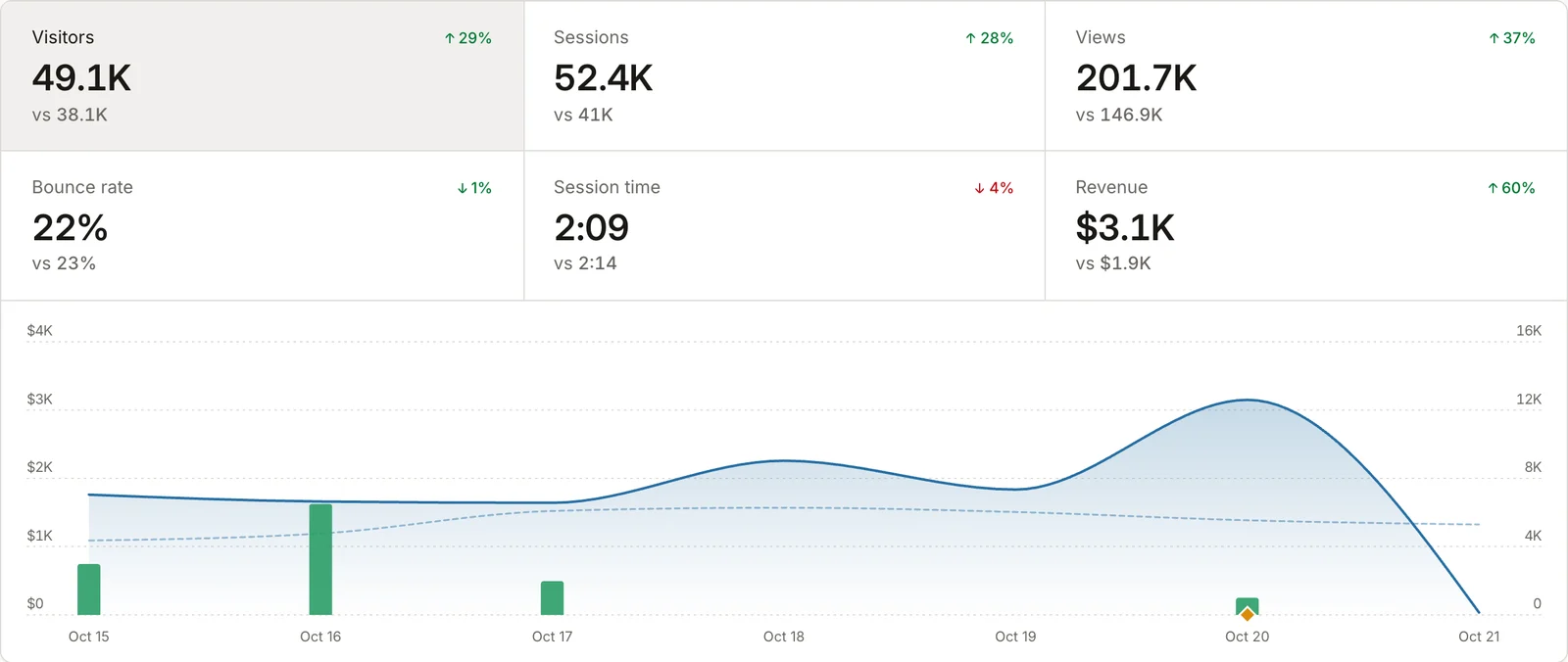
The OpenAlternative dashboard over the last 7 days compared with the 7 days before: each figure has a vs line under it, and the earlier period is a dashed line on the chart.

Compare any period with the one before it

Pick Previous period, Year over year or a custom start day in the comparison menu, and every figure gets a vs line with the earlier value and the change. The chart draws the earlier period as a dashed line under the current one.

A comparison always covers as many days as the range you are looking at. All time has nothing before it, so it has no comparison.

Click a row to filter

Every row in every card is a filter now. Click Google in Sources and the whole dashboard shows Google traffic, the chart included.

Improvements

  • The Pages card has Entry, Exit and 404s tabs next to Top pages.
  • Pin a note to a day on the chart, such as a launch or a price change, and it shows in that day's tooltip.
  • Press X to turn the comparison on or off, and Shift + ? to see every shortcut.
  • Data

Bots stay out of your numbers

Highseat now keeps three kinds of automated traffic out of every report: hits from data centres, browsers driven by automation tools, and browsers claiming versions too old to be real. Data centres are matched by their network, so a headless browser on a cloud server is caught even when it looks like Chrome.

Filtered hits never reach your stats or your plan's event count. Highseat stores them apart, with only the time and the reason, so the dashboard can show how much it kept out and why.

Crawlers that announce themselves are left out too, as before.

Improvements

  • A site's own first-party proxy is never mistaken for data centre traffic.

Start with 14 days free.No card required.